


HOW IT WORKS
From two files to one truth
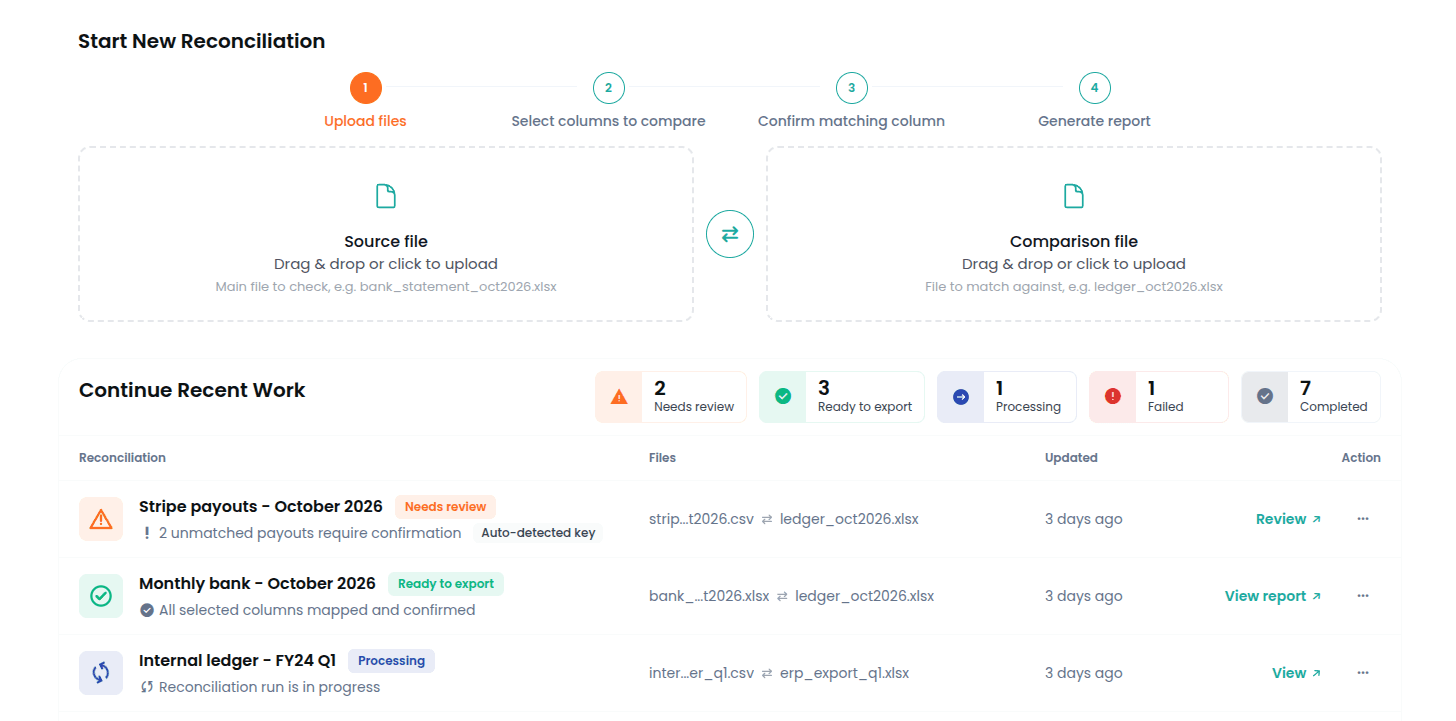
Four steps. No setup. No cleanup. Upload, map the columns, confirm the key and tolerances, get the report.

CSV, Excel, or JSON. Messy exports are fine. Inconsistent headers, mixed date formats, irregular amounts — upload them as they are.
CSV, Excel and JSON supported
Up to 10M rows per file
No formatting required
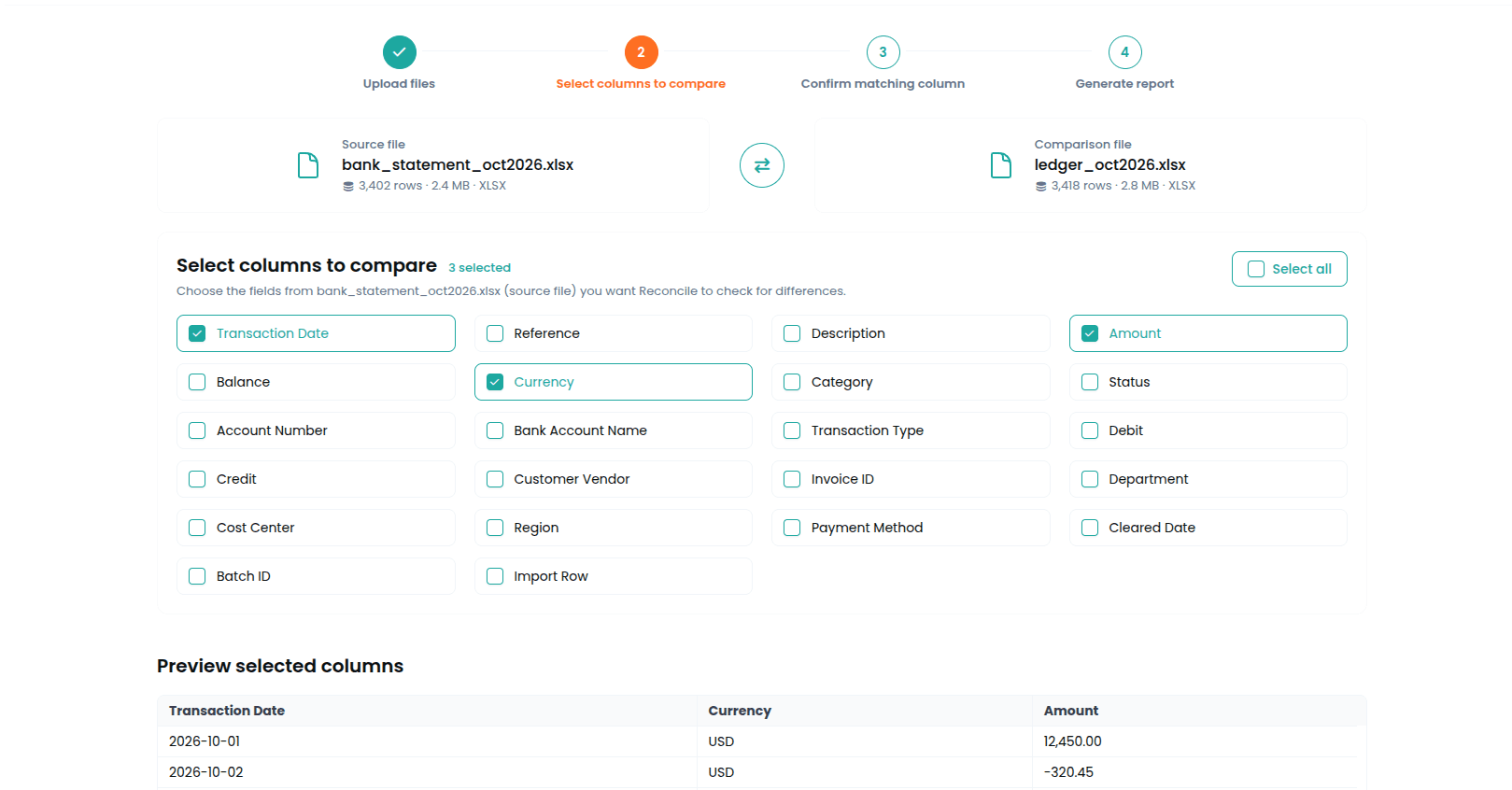

Choose the fields that matter for this reconciliation and line up the ones that mean the same thing across both files. Reconcile suggests likely equivalents. You confirm or adjust.
Choose the fields that matter across both files
Different header names supported
Multi-column mapping supported

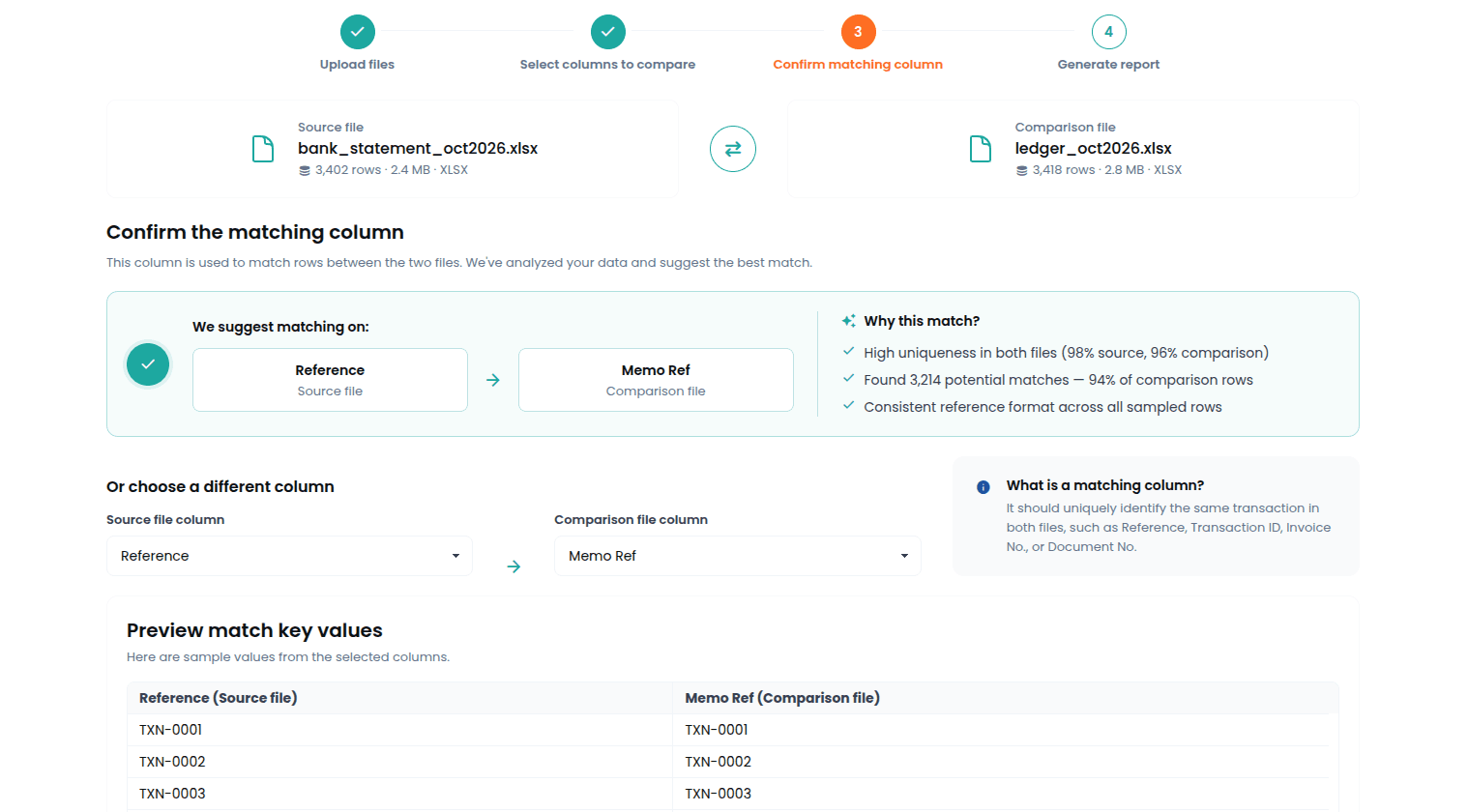
Choose or confirm the match key, then set the tolerance for each compared column based on its type. Numeric, temporal, and exact-match identifier fields are handled differently. Then the comparison runs.
Confirm the match key
Tolerances by column type
Numeric and temporal windows where needed
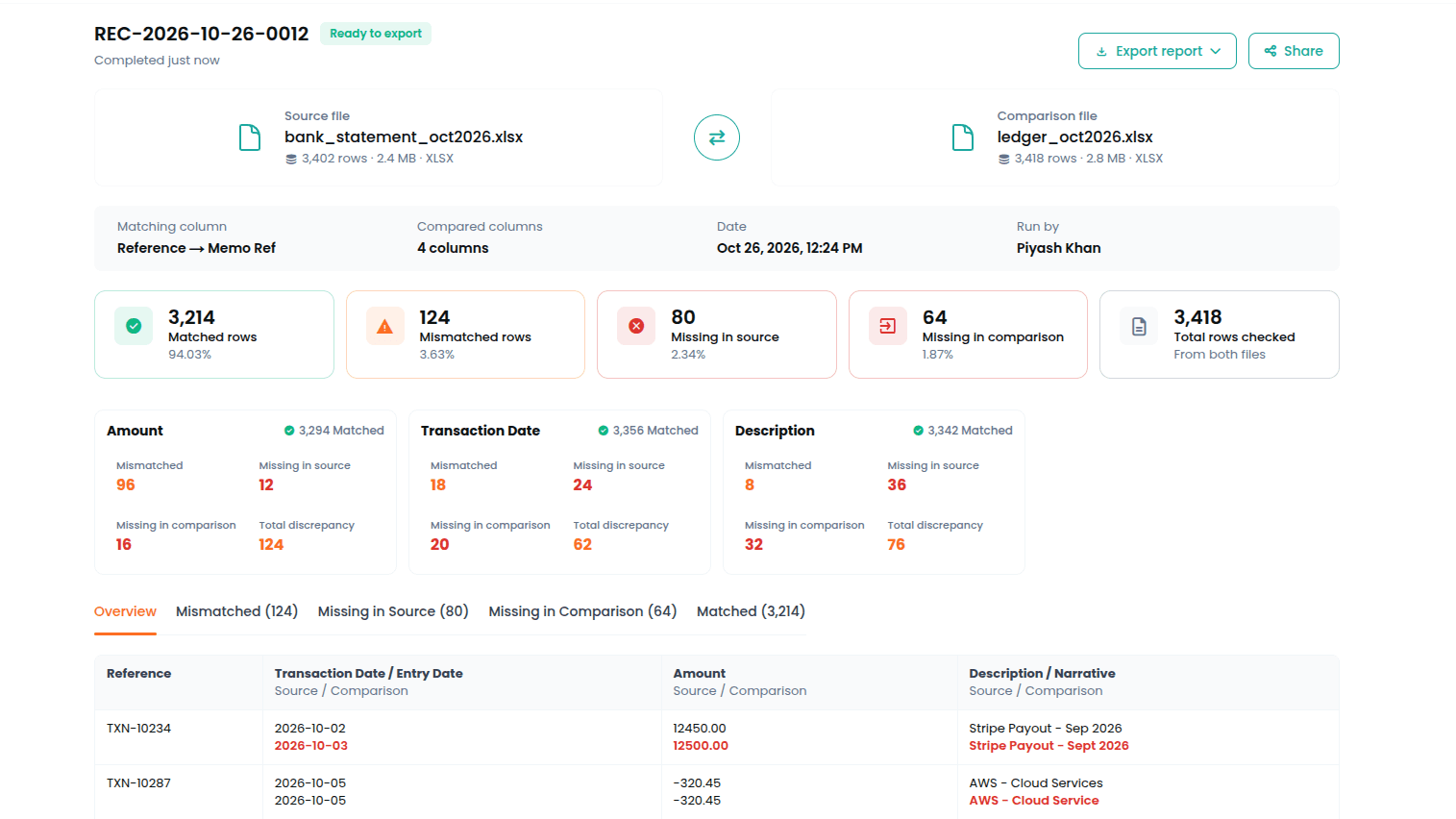

Two files: a PDF report of the full run, and an Excel workbook with every row sorted into five sheets — matched, mismatches, missing in source, missing in comparison, duplicates. Something you can hand to a client or auditor as is.
Audit-ready PDF report
Excel workbook: matched, mismatches, missing, duplicates
Audit dashboard included
WHY CHOOSE RECONCILE
Built for the way finance files actually work.
Most tools expect clean, structured data. Reconcile expects the opposite.

Inconsistent headers, mixed formats, irregular exports. Reconcile normalizes everything silently before the comparison runs.

You choose and map the columns, confirm the match key, and set per-column tolerances based on field type. Normalization, matching, discrepancy detection, and report generation happen after that.

Matched rows, unmatched rows, and every discrepancy clearly labeled — delivered as a PDF report for the record and an Excel workbook with every row sorted by result. Something you can hand to a client or auditor without touching it first.

Files are processed for comparison only and deleted immediately after your run. We never store, read, or share what is inside them.



Copyright © 2026 Reconcile. All Rights Reserved.
